
FAQ
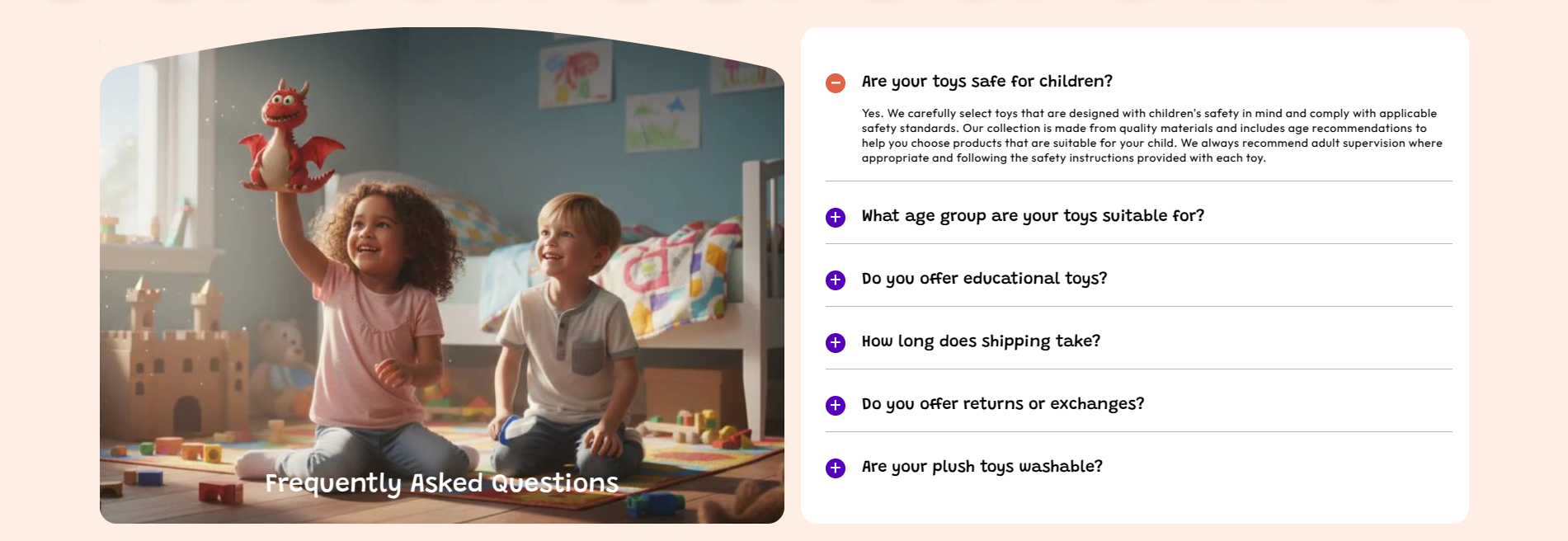
The FAQ section allows you to display frequently asked questions in an accordion format. It helps customers quickly find answers and improves trust and usability in your store.
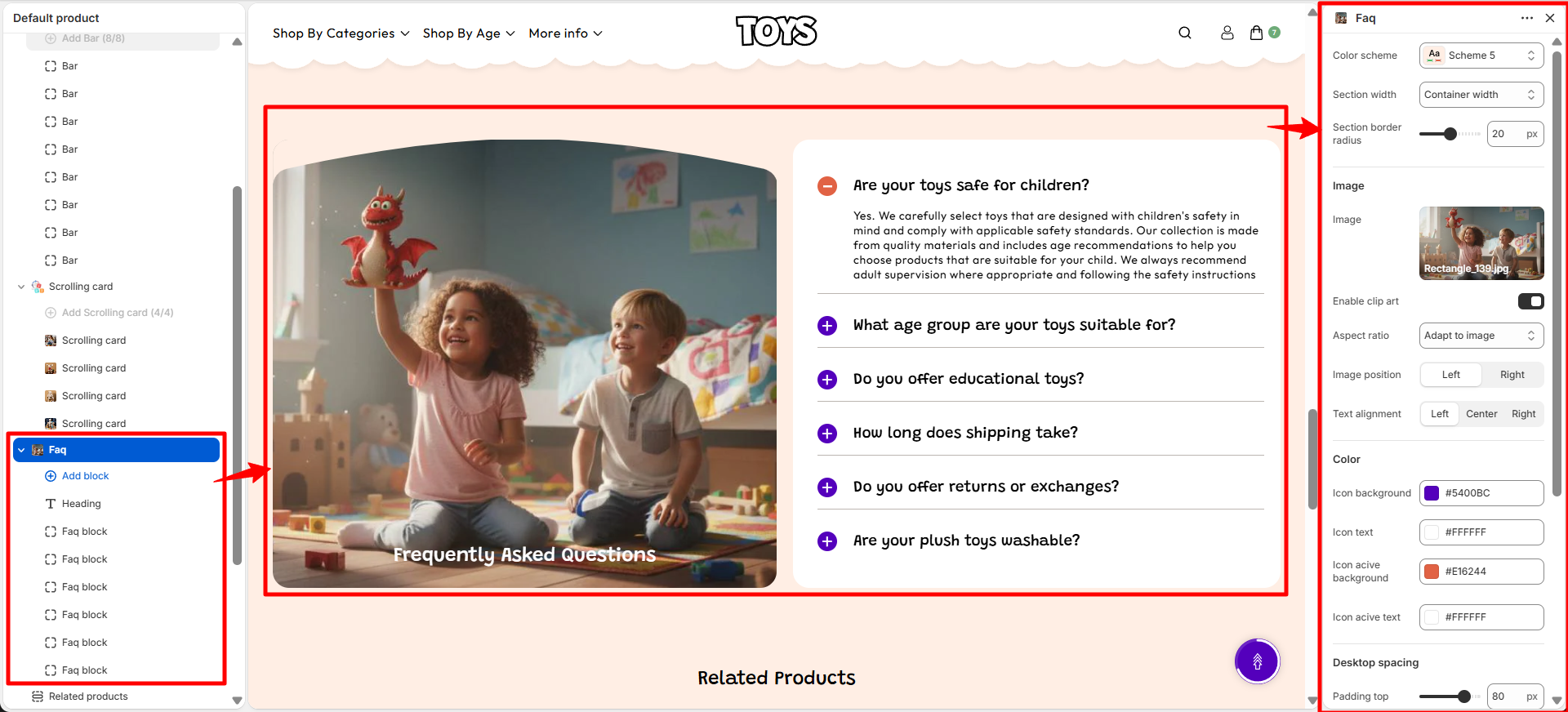
FAQ Section Settings
- Color Scheme – Choose section color style.
- Section Width – Set layout width (Container Width).
- Border Radius – Adjust rounded corners (e.g., 20).
- Image – Upload supporting image.
- Image Position – Left or Right alignment.
- Text Alignment – Left, Center, or Right alignment.
- Icon Colors – Customize default and active states.
- Spacing – Desktop and mobile padding controls.
FAQ Blocks
This section contains 2 blocks:
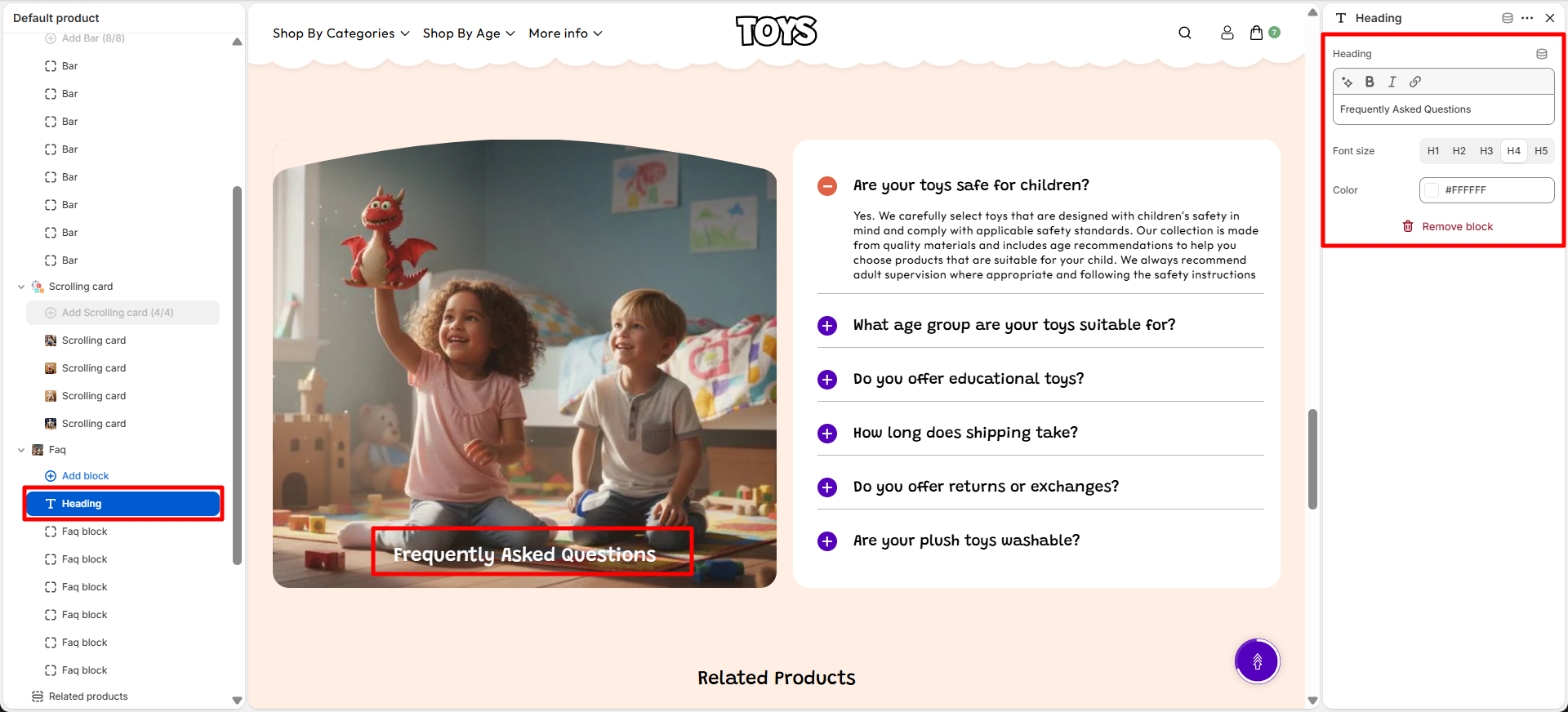
1. Heading Block
- Heading – Add section title (e.g., Frequently Asked Questions).
- Font Size – Choose heading size (H1 to H5).
- Color – Set heading text color.
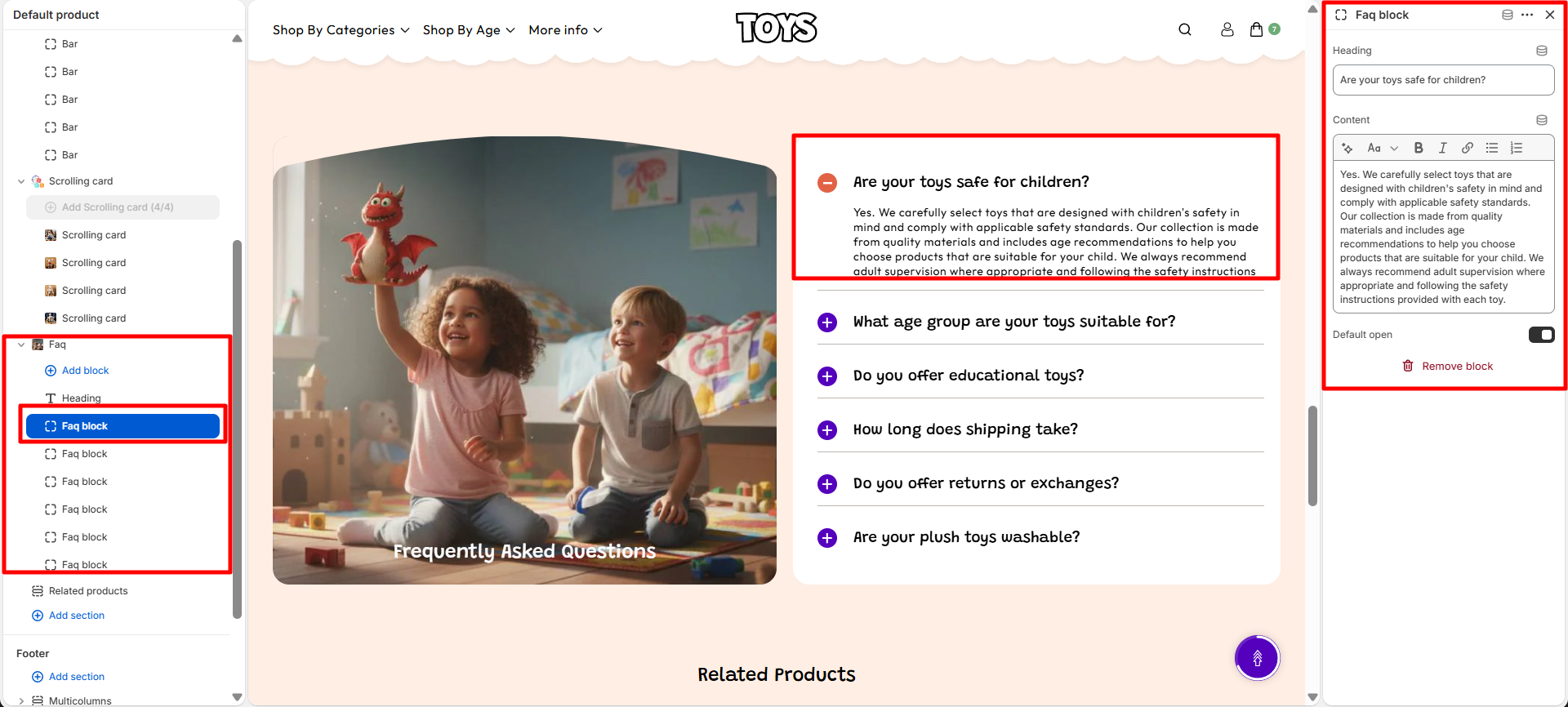
2. FAQ Item Block
- Heading – Enter FAQ question (e.g., Are your toys safe for children?)
- Content – Add short answer for the question.
- Default Open – Enable to keep the FAQ expanded by default.
Steps
- Open Theme Customizer in Shopify admin.
- Go to the FAQ section.
- Edit the Heading Block and set title, font size, and color.
- Add FAQ items using the FAQ Item Block.
- Enter question and short answer.
- Enable Default Open if required.
- Click Save to apply changes.
FAQs
What is the FAQ section used for?
It is used to display common customer questions and answers in an accordion layout.
Can I open FAQ by default?
Yes, enable the Default Open option in the FAQ item block.
Can I add multiple FAQ items?
Yes, you can add unlimited FAQ blocks for different questions.