
Featured blog
The Featured Blog section in the Soft theme allows you to showcase selected blog posts directly on your store. It helps you highlight valuable content, share updates, provide product-related insights, and engage customers through informative articles.
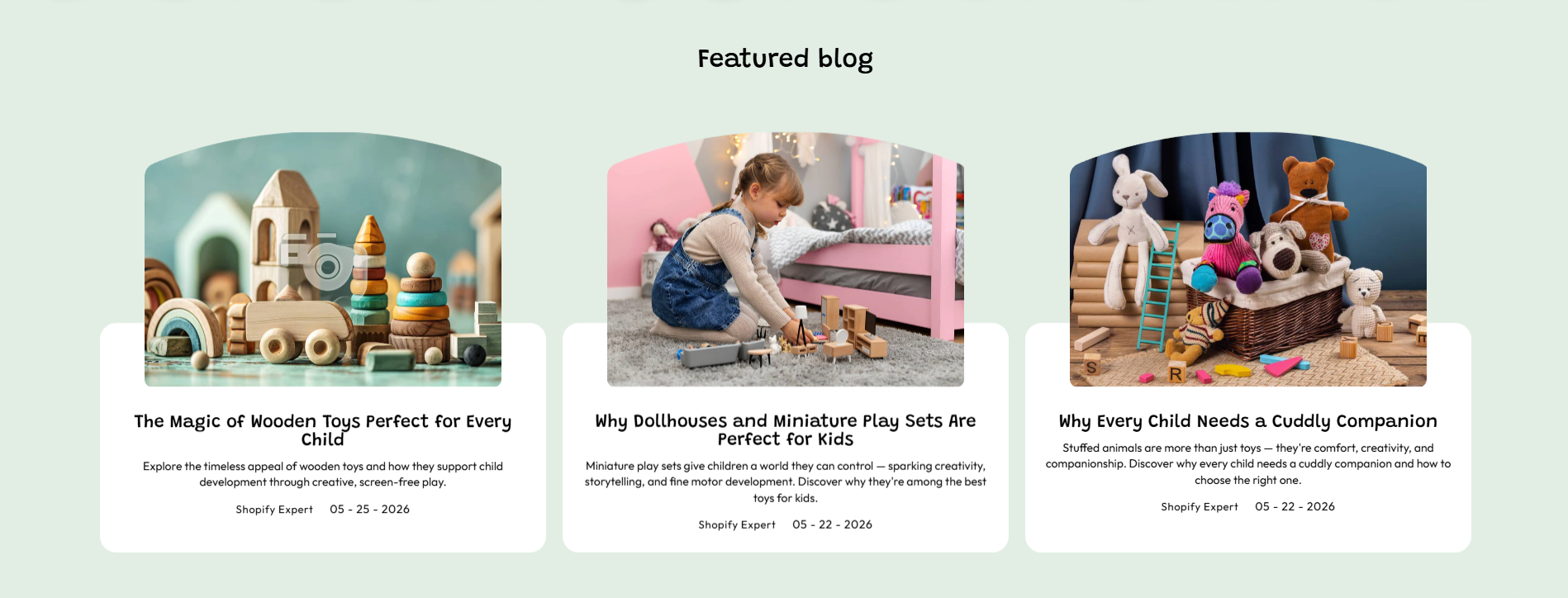
Featured blog Settings
This section includes settings to control the appearance, layout, and spacing:
- Color Scheme – Choose a predefined color palette to match the section with your store branding.
- Heading – Add a title for the blog section, such as “Featured blog”, to introduce the displayed articles.
- Font Size – Adjust the size of the section heading text.
- Description – Add supporting text to provide additional information about the blog section.
- Heading Alignment – Choose the alignment of the heading, such as Left, Center, or Right.
- Select Blog – Choose the blog category or collection of articles you want to display in this section.
- Aspect Ratio – Select the image display ratio for blog images, such as Landscape.
- Enable Clip Art – Enable this option to display decorative clip art elements in the blog section.
- Content Background – Choose the background color for the blog content area.
- Show Content – Enable this option to display blog article content.
- Limit Content – Set the maximum number of blog posts displayed in the section.
- Show Author – Display the author name on blog cards.
- Show Comment Count – Display the number of comments for each blog post.
- Show Date – Display the publication date of blog posts.
- Show Tags – Display blog tags associated with each article.
- Show More Button – Enable a button to allow customers to view more blog posts.
- Button Style – Choose the button appearance style, such as Primary or Secondary.
- Desktop Padding – Adjust the spacing of the section for desktop devices.
- Padding Top – Set the top spacing of the section on desktop devices.
- Padding Bottom – Set the bottom spacing of the section on desktop devices.
- Mobile Padding – Adjust the spacing of the section for mobile devices.
- Mobile Padding Top – Set the top spacing of the section on mobile devices.
- Mobile Padding Bottom – Set the bottom spacing of the section on mobile devices.
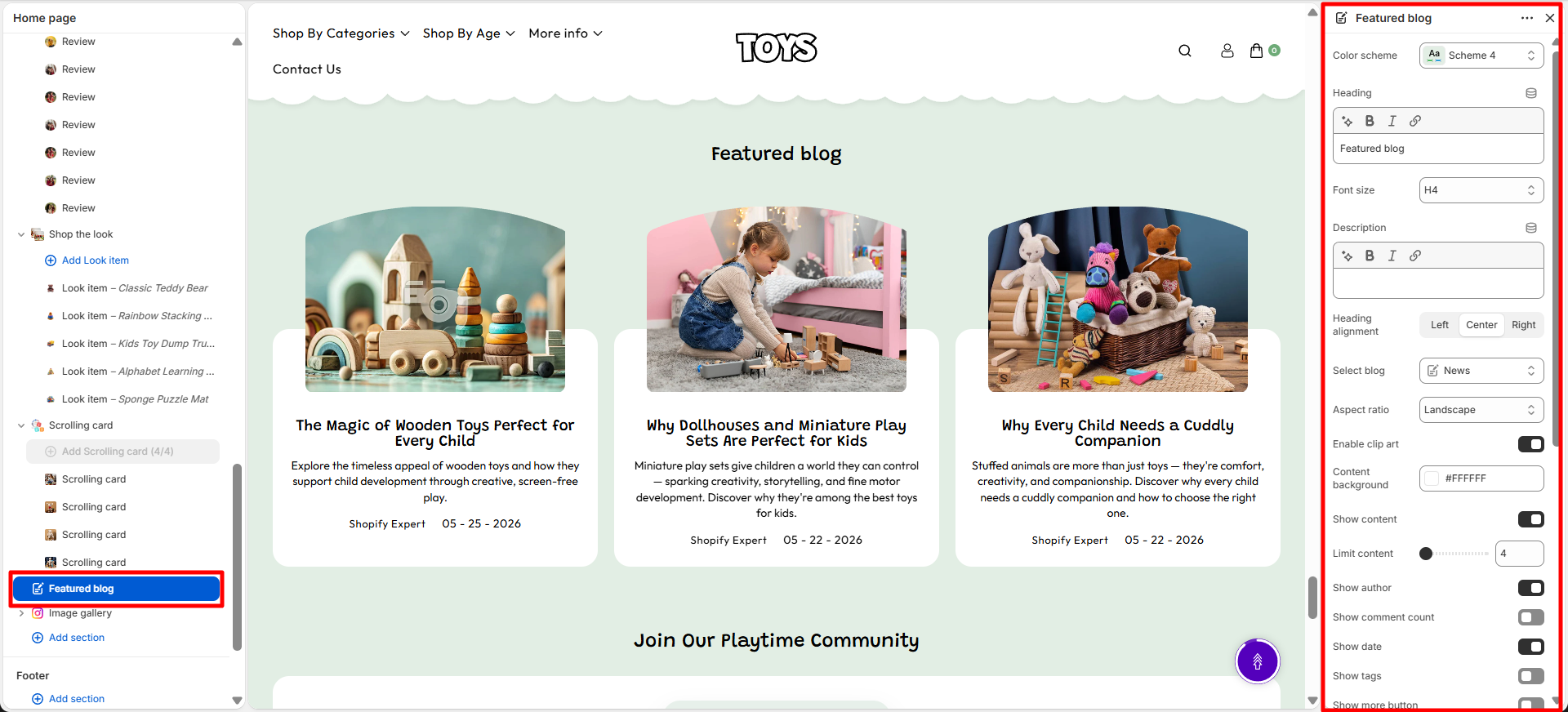
Steps
- Open the Theme Customizer from Shopify admin.
- Navigate to the Featured blog section on the homepage.
- Set the section heading and choose the layout (Inline or Stack).
- Select a color scheme and adjust heading font weight.
- Adjust top and bottom spacing for proper alignment.
- Click Save to apply your changes.
FAQs
Where can I find the Featured blog section?
You can find the Featured blog section in the Theme Customizer. From Shopify admin, go to Online Store > Themes, click Customize, and locate the Featured blog section on the homepage template.
How do I configure the newsletter section?
Open the section in the Theme Customizer, set the heading text, choose a layout, select the desired color scheme, adjust spacing, and save. The newsletter signup form will appear on your homepage.