
Testimonials
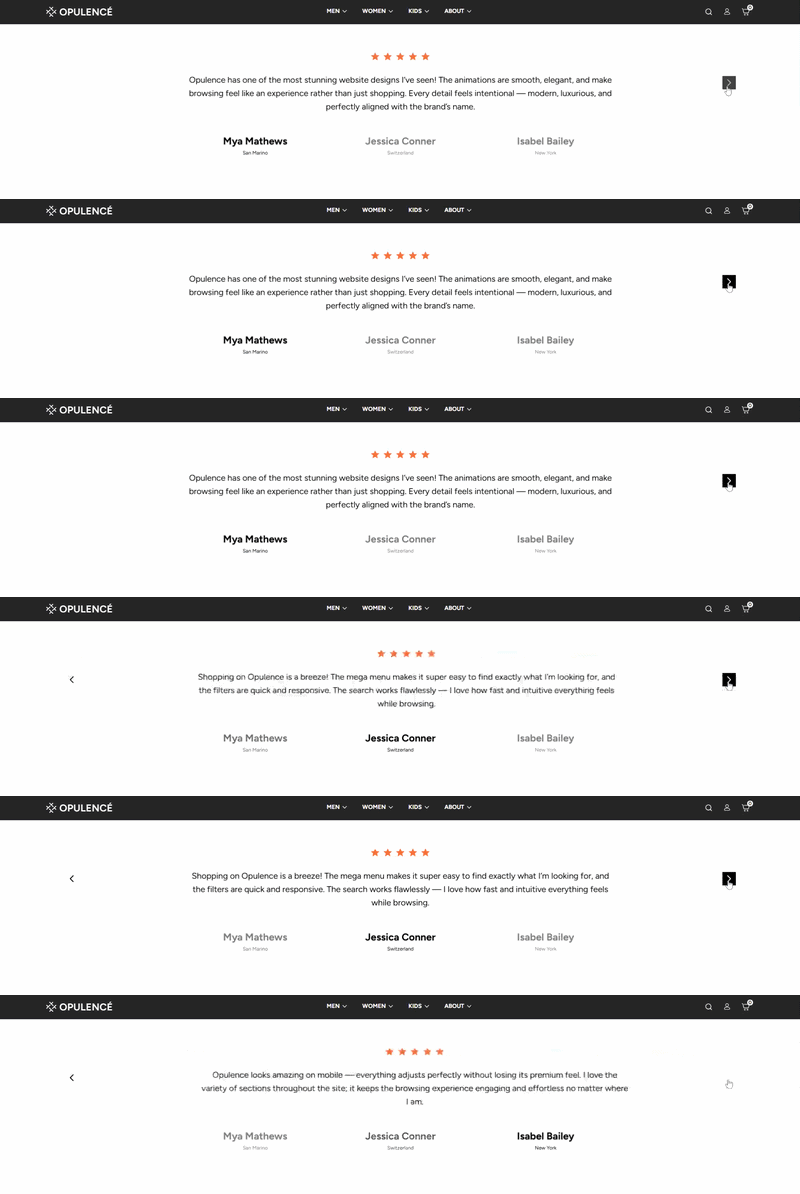
The Testimonials section in the Opulence theme allows you to showcase customer feedback on your homepage in a visually appealing way. Each testimonial can include a star rating, customer review, author name, and location. This section is designed to increase credibility and help build trust with potential customers.
Testimonials Section Settings
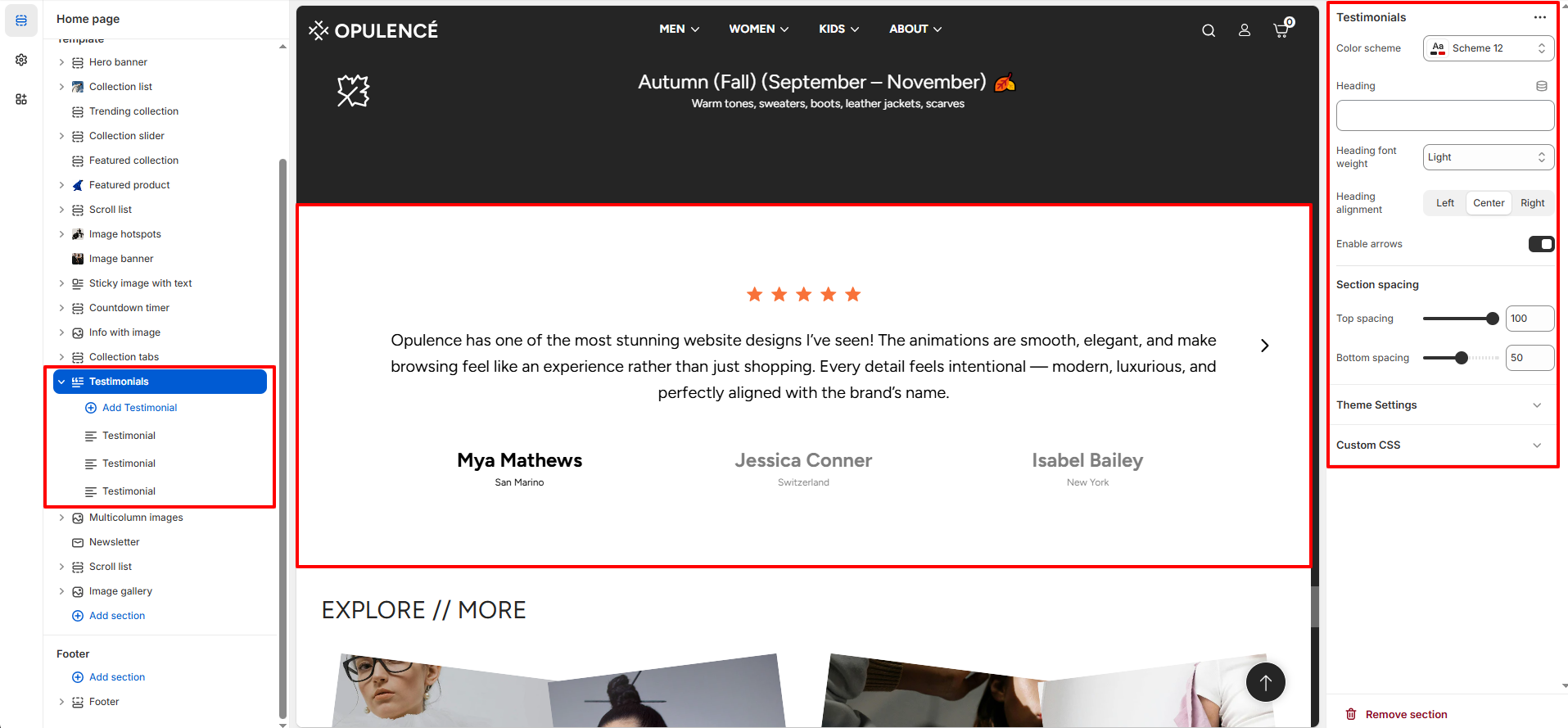
The section includes global settings to control the layout and appearance:
- Color Scheme – Choose a predefined color palette to match the look of your store.
- Heading – Add an optional heading to the section (e.g., “What Our Customers Say”).
- Heading Font Weight – Adjust how bold or light the heading text appears.
- Heading Alignment – Align the heading to Left, Center, or Right.
- Enable Arrows – Toggle navigation arrows for sliding through multiple testimonials.
- Top & Bottom Spacing – Control the vertical spacing around the section.
Testimonial Block Settings
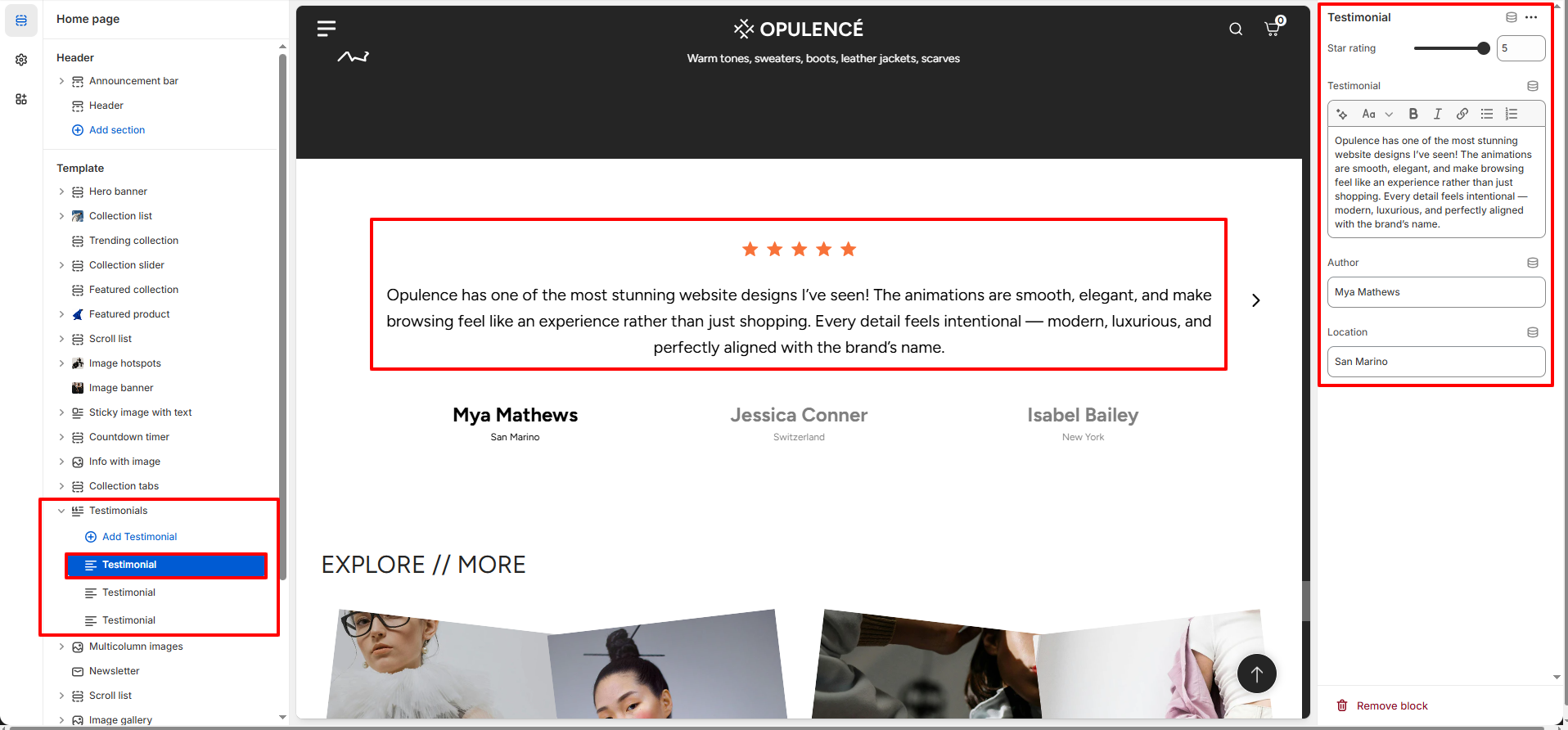
Each individual testimonial block has its own customizable options:
- Star Rating – Choose from 1 to 5 stars to indicate customer satisfaction.
- Testimonial Text – Add the customer’s feedback or review.
- Author – Enter the name of the customer giving the testimonial.
- Location – Specify the customer’s city or country (optional).
Steps
- Open the Theme Customizer from your Shopify admin.
- Navigate to the Testimonials section on the homepage.
- Add a section heading and select the desired color scheme, alignment, and spacing.
- Click Add Testimonial to create a new testimonial block.
- Set the star rating, enter the testimonial text, author name, and location.
- Repeat for additional testimonials as needed.
- Enable arrows if you want users to navigate through multiple testimonials.
- Click Save to apply your changes.
FAQs
Where can I find the Testimonials section?
You can find the Testimonials section in the Theme Customizer. Go to Online Store > Themes in Shopify admin, click Customize, and locate the Testimonials section on the homepage.
How do I add a new testimonial?
Open the Testimonials section in the Theme Customizer, click Add Testimonial, then enter the star rating, testimonial text, author name, and location. Click Save when finished.