
Cart
In the Opulence theme, the Cart serves as a key area where customers can review and manage their selected products before proceeding to checkout. It provides an organized summary showing product details, quantities, and prices for easy management.
Designed for a seamless shopping experience, the cart lets customers adjust quantities, remove items, apply discounts, or add special instructions with ease—helping smooth the path to purchase.
Configuring Your Cart
The Opulence theme offers flexibility in how the cart appears on your store. You can choose between a Cart Drawer—a slide-out panel—or a dedicated Cart Page that displays all cart details on its own page.
Step
- From Shopify admin, go to Online Store → Themes.
- Click Customize on your active Opulence theme.
- Open Theme Settings from the sidebar.
- Select the Cart & Cart Drawer options.
- Choose your preferred cart display type: Drawer or Page.
- Save your changes.
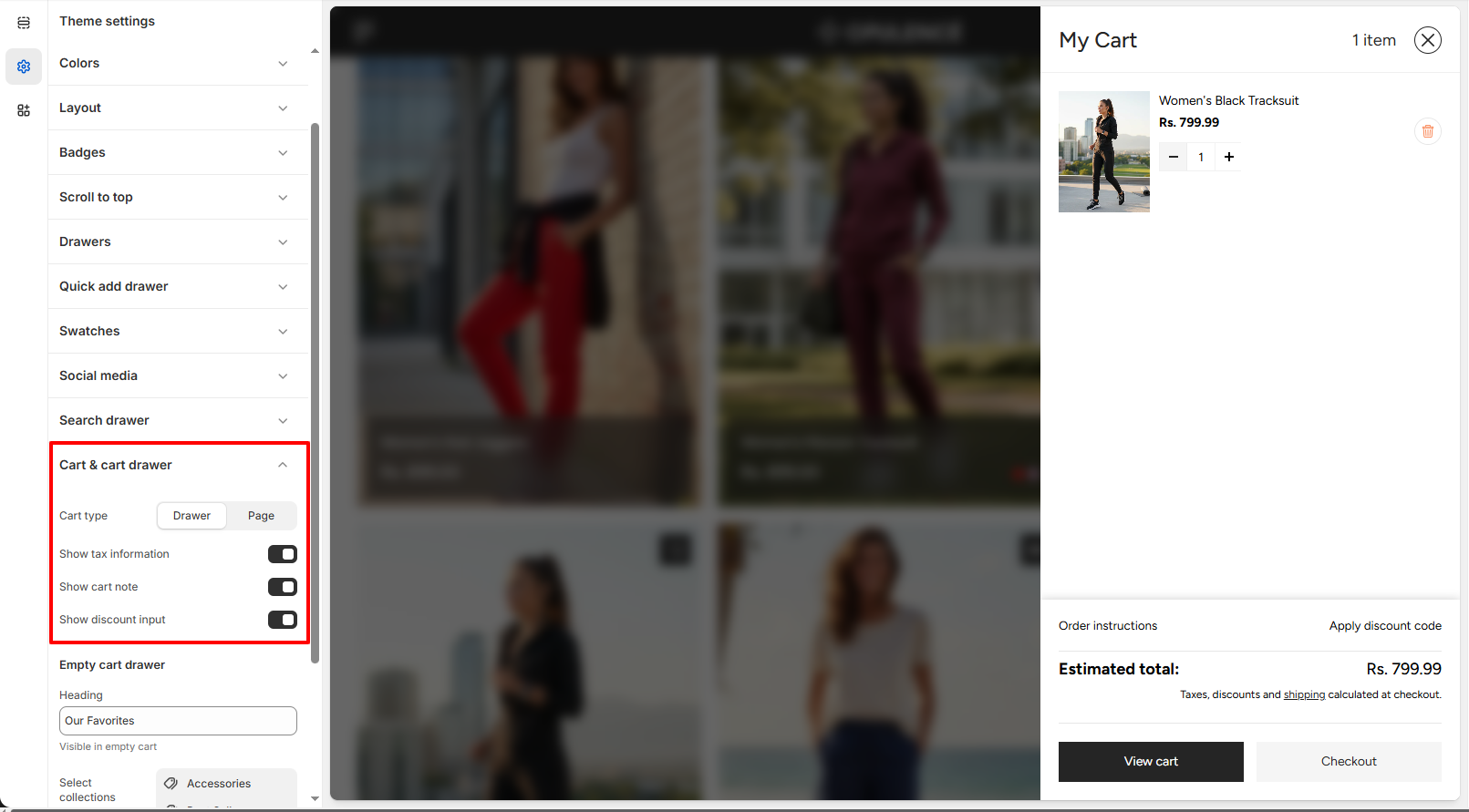
Cart Display Options
- Cart Drawer: A panel that slides out from the side, allowing customers to view and modify their cart without leaving the current page.
- Cart Page: Redirects shoppers to a full page dedicated to reviewing cart contents before moving to checkout.
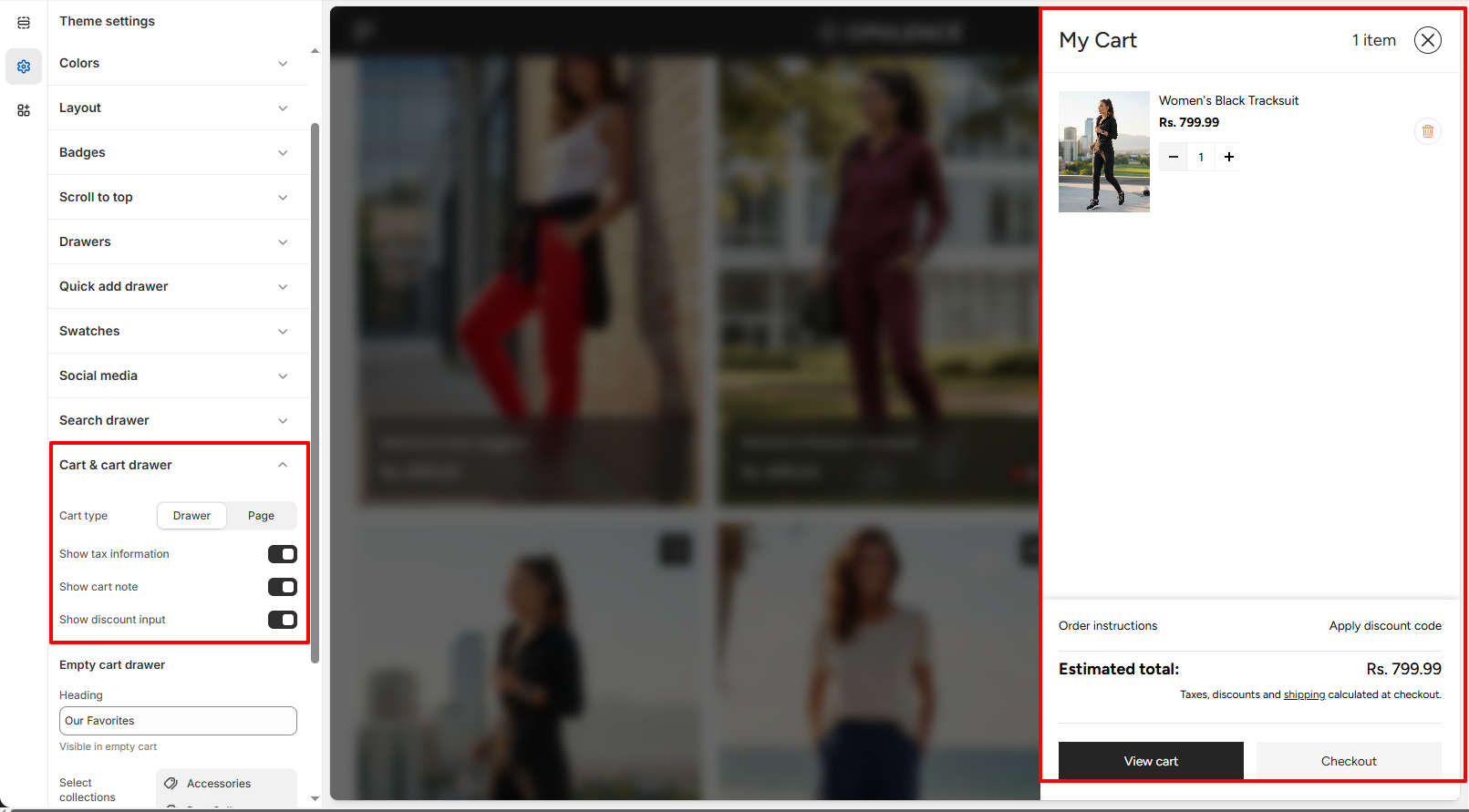
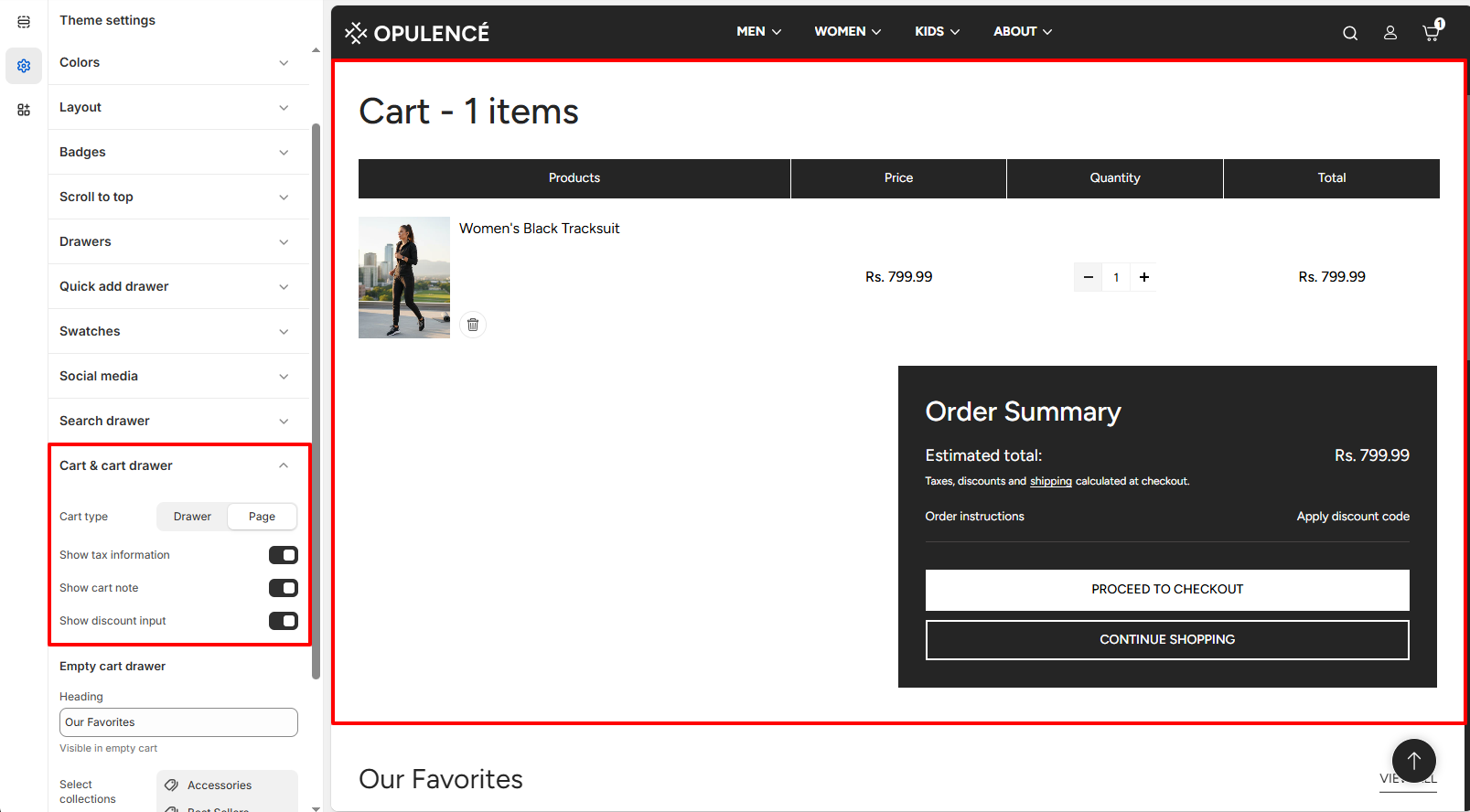
Additional Cart Features
- Display Tax Information: Show tax details in the cart so customers can see applicable taxes upfront.
- Enable Cart Notes: Let customers add special instructions or requests with their order directly from the cart.
- Allow Discount Codes: Show a field where customers can enter promo codes before checking out.
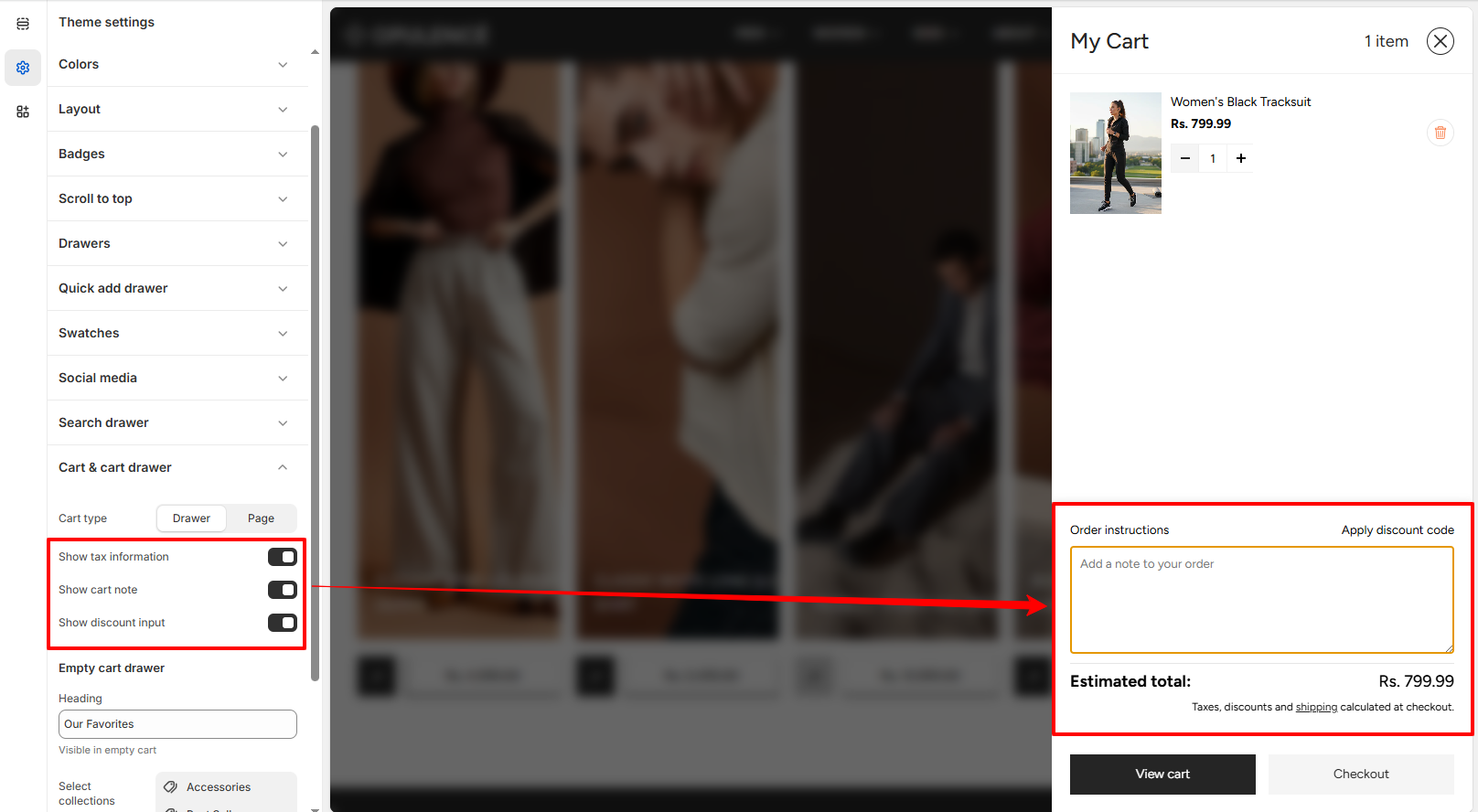
Activating Extra Cart Options
Step
- Go to Online Store → Themes in your Shopify admin.
- Open the Customize tool on the Opulence theme.
- Navigate to Theme Settings → Cart & Cart Drawer.
- Toggle on the options you want like Tax Info, Cart Notes, or Discount Input.
- Save your changes to apply them.
FAQs
What’s the difference between a Cart Drawer and a Cart Page?
The Cart Drawer is a slide-out panel that lets customers check their cart without leaving the current page. The Cart Page takes customers to a separate page dedicated to cart review before checkout.
Why don’t customers see the discount code field in my cart?
Ensure the Discount Input option is enabled under Theme Settings → Cart & Cart Drawer. Once active, customers will be able to enter promo codes directly in the cart.