
Newsletter
The Newsletter section in the Opulence theme allows you to capture your visitors’ email addresses to send updates, promotions, and exclusive offers. It is designed to be highly visible and customizable to match your store’s branding.

Newsletter Section Settings
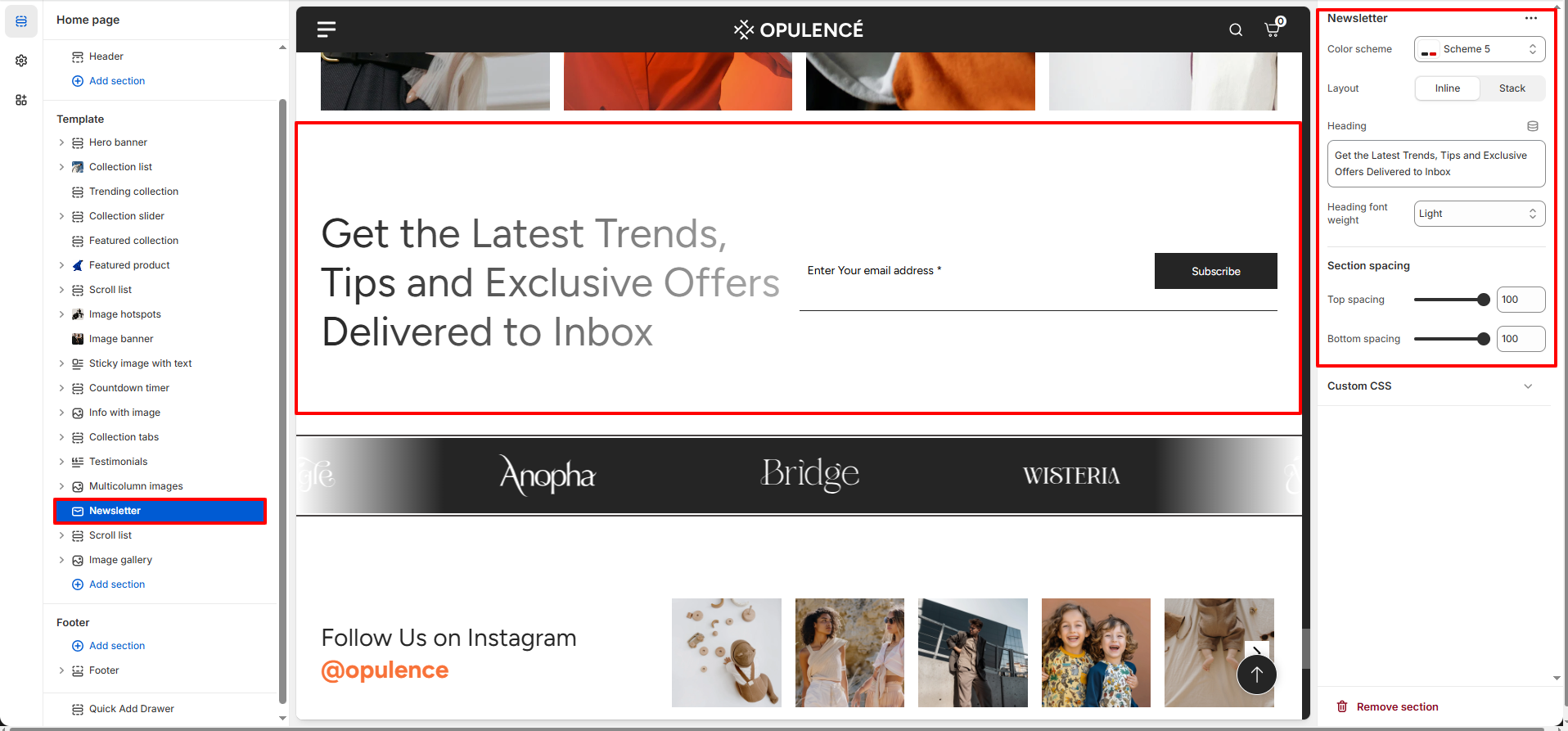
This section includes settings to control the appearance, layout, and spacing:
- Color Scheme – Select a predefined color palette for the section.
- Layout – Choose between Inline (heading and input side by side) or Stack (heading above input).
- Heading – Add a title for the newsletter section, such as “Get the Latest Trends, Tips and Exclusive Offers Delivered to Inbox”.
- Heading Font Weight – Set the heading to Light, Medium, or Bold.
- Top & Bottom Spacing – Adjust vertical spacing around the section for proper alignment with other sections.
Steps
- Open the Theme Customizer from Shopify admin.
- Navigate to the Newsletter section on the homepage.
- Set the section heading and choose the layout (Inline or Stack).
- Select a color scheme and adjust heading font weight.
- Adjust top and bottom spacing for proper alignment.
- Click Save to apply your changes.
FAQs
Where can I find the Newsletter section?
You can find the Newsletter section in the Theme Customizer. From Shopify admin, go to Online Store > Themes, click Customize, and locate the Newsletter section on the homepage template.
How do I configure the newsletter section?
Open the section in the Theme Customizer, set the heading text, choose a layout, select the desired color scheme, adjust spacing, and save. The newsletter signup form will appear on your homepage.